In today’s creative world, Illustration Tools have become essential for artists, designers, and beginners who want to bring their imagination to life. Whether you’re creating character art, book illustrations, brand graphics, or digital paintings, choosing the right tools can completely transform your workflow.
With technology evolving rapidly, modern, these tools now offer advanced features like vector editing, pressure sensitivity, AI powered brushes, cloud syncing, and cross device support. This makes it easier than ever for beginners and professionals to create stunning artwork.
This post goes into great detail on the top illustration tools, their features, advantages, and which tool is perfect for you.
What Are Illustration Tools?
Drawings, artwork, sketches, icons, characters, vectors, and visual storytelling elements can all be produced using illustration tools, which are digital software programs. With capabilities like layers, brushes, colour palettes, form tools, and support for digital pens, these tools assist artists in creating both straightforward and intricate illustrations.
- Vector illustration tools (e.g., Adobe Illustrator)
- Digital painting software (e.g., Procreate, Krita)
- 3D illustration tools (e.g., Blender)
- AI-based illustration tools (e.g., Adobe Firefly)
You can express yourself more creatively, save time, and improve your artistic quality by using the appropriate illustration tools.
Why It’s Important to Select the Correct Illustration Tools
Selecting the right Illustration Tools is crucial for artists because it impacts creativity, productivity, and the final design output. Here’s why it matters:
1. Better Creative Control
High-quality Illustration Tools offer advanced brushes, blending modes, and custom settings that allow you to craft detailed artwork effortlessly.
2. Faster Workflow
Features like layers, shortcuts, vector editing, and export options help speed up the entire designing process.
3. Professional Results
Whether you’re a beginner or expert, using the right tool ensures clean, polished, and high-resolution illustrations.
4. Flexibility Across Devices
Modern Illustration Tools support tablets, PCs, and mobile devices making it easier to design anytime, anywhere.
Adobe Illustrator – The Industry Standard
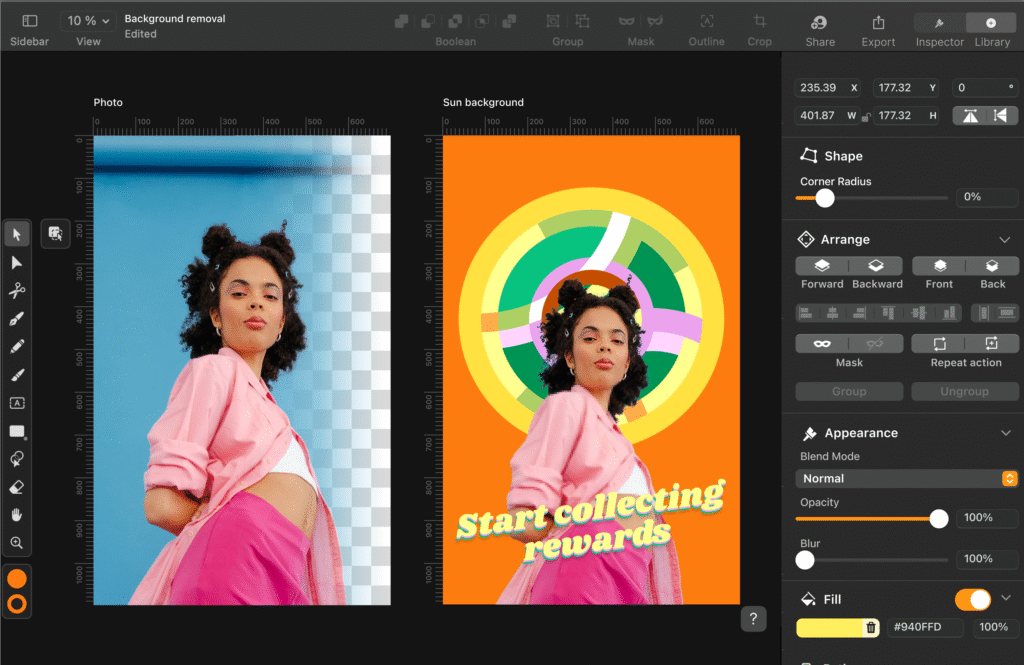
One of the most widely used illustration programs for vector based design is still Adobe Illustrator. Professional artists, graphic designers, and branding specialists will find it ideal.
Key Features:
- Powerful vector editing
- Smooth pen tool
- Gradient mesh
- Artboards and template library
- Adobe Creative Cloud integration
Best For: Logo design, flat illustrations, icons, typography, branding.
2. Procreate – The Best for iPad Artists
Procreate is one of the most loved tools among digital artists due to its smooth brush engine and iPad compatibility.
Key Features:
- 200+ brush options
- Pressure-sensitive strokes
- Time lapse video recording
- Simple UI for beginners
Best For: Digital painting, character art, sketching.
3. CorelDRAW – Professional Vector Illustration Tool
CorelDRAW is another powerful Illustration Tool known for its vector editing capabilities and flexible interface.
Key Features:
- Advanced layout and typography
- Non destructive effects
- AI-powered features
- Multi-page support
Best For: Marketing materials, vector graphics, print designs.
4. Affinity Designer – Affordable Yet Powerful
A budget friendly alternative to Illustrator, Affinity Designer offers professional-level features without a subscription.
Best For: Logo design, vector illustrations, interface icons.
5. Krita – Best Free Illustration Tool
Krita is one of the best free tools built specifically for digital artists.
Key Features:
- Brush stabilizers
- Animation tools
- Open source
- Layer effects
Best For: Beginners, hobby artists, and illustrators looking for a free yet powerful tool.
6. Blender – 3D Illustration Tool
For artists exploring 3D illustration, Blender is one of the best tools available and completely free.
Best For: 3D models, character art, animation, visual effects.
Key Features to Look for in Illustration Tools
When choosing the right tools, consider the following features:
1. Brush Variety
A rich collection of customizable brushes enhances artistic flexibility.
2. Layer Support
Layers help you organize artwork better and edit elements independently.
3. Vector vs. Raster Options
Vector tools offer scalability, while raster tools give realistic texture.
4. Device Compatibility
Choose Illustration Tools that work on your laptop, tablet, or mobile device.
5. Export Formats
Multiple file formats ensure easy sharing and printing.
How Illustration Tools Improve Workflow
● Faster Editing
Undo/redo, layers, and digital brushes save time.
● Smooth Collaboration
Tools like Adobe Illustrator allow real-time sharing.
● High-Quality Output
Digital illustrations offer sharp, scalable results.
● Creative Freedom
Experiment with colors, shapes, textures, and blending options.
Tips for Beginners to Choose the Best Illustration Tools
- Start with free tools like Krita if you’re on a budget.
- Use Procreate or Illustrator for professional-level projects.
- Focus on your style vector or digital painting.
- Choose Illustration Tools that match your device.
- Watch tutorials and practice regularly.
These steps ensure you master tools faster and improve your skills quickly.
Future of Illustration Tools (2025 & Beyond)
The future of Illustration Tools includes:
- AI powered brushes
- Real time 3D rendering
- Cloud collaboration
- Smart stroke predictions
- Multi device syncing
These advancements will help digital artists work smarter, faster, and more creatively.
Conclusion:
To sum up, Illustration Tools enable artists to transform concepts into stunning works of art. These tools provide everything you need to develop as a professional designer, whether you’re producing digital paintings, vector graphics, 3D illustrations, or character designs.
Learning the proper illustration tools is the first step to becoming a proficient digital artist if you want to pursue a lucrative creative career.
FAQs About Illustration Tools
1. Which are the best Illustration Tools for beginners?
Krita, Procreate, and Affinity Designer are excellent for beginners.
2. Are tools free to use?
Yes, tools like Krita, Inkscape, and Blender are completely free.
3. Which tool is best for vector illustrations?
Adobe Illustrator and CorelDRAW are top choices.
4. Can I use tools on a tablet?
Yes, tools like Procreate and Adobe Fresco are optimized for tablets.
5. Which Illustration Tool is best for digital painting?
Procreate and Krita offer the best painting experience.