
This beginner’s guide to UI design tools is just what you need if you’re just getting started with design. In order to create digital interfaces that look fantastic and function smoothly in 2025. It is essential to understand the appropriate tools. Knowing which tools to choose and how to utilize them can help you succeed whether your goal is to create websites, apps, or prototypes.
This post will explain the importance of UI design tools for beginners, examine the best options currently on the market, and offer helpful advice on how to select and utilize such tools.
Why UI Design Tools for Beginners Matter?
For anyone learning UI design, choosing beginner-friendly software is a smart first step. The right UI design tools for beginners can help you:
- Get hands-on experience with design workflows
- Develop confidence without being overwhelmed by complexity
- Build your portfolio early by making real projects
- Bridge the gap from casual creator to skilled designer
By learning proper tools early, you’re not only mastering software. You’re learning core design principles that apply across platforms and projects.
Best UI Design Tools for Beginners in 2025
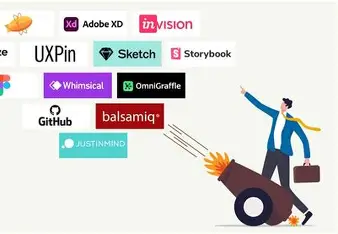
When thinking of UI design tools for beginners, consider ease of use, community support, and modern features. Here are some of the top picks:
1. Figma
Figma tops the list of UI design tools for beginners because it’s web-based, intuitive, and ideal for team collaboration. You can design, prototype, and get feedback all in one place.
Why beginners love it:
- Easy drag-and-drop interface
- Real-time collaboration
- Free version with professional features
- Large community of templates and plugins
2. Adobe XD
Adobe XD offers a professional yet beginner-friendly experience. It integrates with Photoshop and Illustrator, making it ideal for users planning to move into full-scale design later.
Top benefits:
- Interactive prototyping
- Voice-enabled design
- Auto-animate transitions
- Cross-platform compatibility
3. Sketch
Sketch is still a favorite among macOS users. It is regarded as a dependable option for people who are serious about studying UI design at a young age and offers powerful vector design features.
Features:
- Clean workspace
- Responsive design tools
- Easy export for development handoff
- Large community with thousands of plugins
4. Canva
Canva is a welcoming starting place for complete novices who wish to design UI layouts or pictures without difficult learning curves. Quick mocks and graphic design projects benefit from it.
Choosing the Right UI Design Tools for Beginners
When selecting your first design software, keep these criteria in mind:
- Learning Curve: Choose tools with beginner-friendly interfaces and good tutorials
- Community & Resources: Good help-forums and learning content accelerate your growth
- Collaboration & Workflow: Since design often involves teams, pick tools that support sharing and feedback
- Cross-Platform Compatibility: If you switch devices, it helps if tools work across Windows, Mac, or browser
- Real-World Relevance: Pick software that’s used in industry, so your skills stay valuable
By focusing on these factors, you’ll get more from your first experiences with UI design tools for beginners and build a foundation you can grow on.
How to Choose the Right UI Design Tools for Beginners?
There’s no “one-size-fits-all” in design. The best tool depends on your goals and learning style. Here’s what to consider:
- Ease of Use: Choose software that feels intuitive. Figma and Canva are great examples.
- Budget: Many tools offer free or student versions perfect for learners.
- Features You Need: Look for prototyping, collaboration, and real-time preview.
- Device Compatibility: Some tools work only on Mac, others on web browsers.
- Industry Relevance: Select tools that top design companies are using in 2025.
How to Practice with UI Design Tools for Beginners?
Getting comfortable with these tools takes practice. Try this step-by-step approach:
- Start with a Concept: Choose something simple like a weather app or landing page.
- Create Wireframes: Map your idea using rectangles, text boxes, and shapes.
- Add Visuals: Use color, icons, and typography to bring it to life.
- Prototype It: Link screens to show user interaction.
- Get Feedback: Share your project with peers or on design communities like Dribbble or Behance.
- Repeat: The more you use UI design tools for beginners, the faster your skills grow.
How to Use UI Design Tools for Beginners Effectively?

Using the right tools is one thing using them well is another. Here’s how you can get the most out of your UI design tools for beginners:
- Start by working on simple projects: design a login screen, landing page, or mobile app.
- Focus on key design principles: typography, color, spacing, and layout.
- Use built-in templates or UI kits to speed up learning.
- Practice prototyping: build interactive flows, not just static screens.
- Seek feedback: show your work and iterate based on critique.
- Save your work: build a portfolio showcasing your use of UI design tools for beginners and your growing skill set.
Conclusion
Learning UI design tools for beginners is a wise choice if you want to launch your design profession. The appropriate tool will provide you a competitive advantage in 2025, assist you in producing practical designs, and get you ready for the wider field of UI/UX or product design. Your design journey starts here: start simple, use a tool you like, and develop consistency.
FAQs about UI Design Tools for Beginners
Q1: What are UI design tools for beginners?
UI design tools for beginners are software applications specially suited for people new to interface design. They offer intuitive features, templates, and learning support to help you create screens and layouts without being overwhelmed.
Q2: Which tool is best among UI design tools for beginners?
While personal preference matters, Figma is widely regarded as one of the best UI design tools for beginners thanks to its collaborative features and learning resources.
Q3: Can I learn UI design tools for beginners without design experience?
Absolutely. Many beginner-friendly tools assume no prior design background and provide tutorials, templates, and guided workflows to get you started.
Q4: Are UI design tools for beginners enough for professional work?
Yes. Many designers begin with beginner-friendly tools and transition to advanced workflows. The key is mastering fundamentals with these tools before scaling.
Q5: How much time does it take to learn UI design tools for beginners?
It depends on your pace and dedication. With consistent practice, you can become comfortable with the basics in 4-8 weeks and build your portfolio within a few months.