
In today’s fast growing digital world, design plays a crucial role in shaping user experiences. If you’re someone who wants to create stunning websites, mobile apps, or interactive prototypes, Adobe XD for Beginners is the perfect place to start. Adobe XD, developed by Adobe Systems, is a powerful UI/UX design tool that allows designers to create wireframes, interactive prototypes, and visual designs with ease
Learning Adobe XD for Beginners helps you grasp design principles, produce seamless user experiences, and develop polished interfaces that stand out, regardless of whether you’re a total novice or switching from programs like Figma or Sketch.
What is Adobe XD?
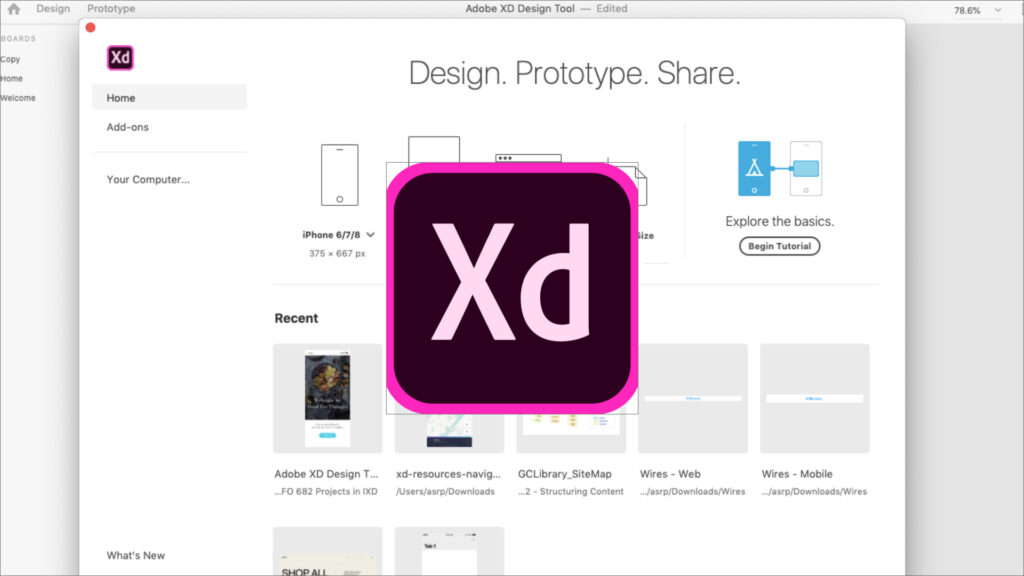
For UI/UX designers, Adobe XD (Experience Design) provides a comprehensive platform for design and prototyping. It offers an easy to use yet robust interface that allows designers to develop everything from app interfaces to website layouts. Adobe XD streamlines the entire design process, from concept to finished prototype, with capabilities like Repeat Grid, Auto-Animate, and Responsive Resize.
Adobe XD for Beginners is the simplest way to learn how to create aesthetically pleasing and useful layouts without having to know how to code. It easily combines with other Adobe programs, like as Photoshop and Illustrator, to streamline and improve your creative process.
Why Choose Adobe XD for Beginners?
If you’re just stepping into the design world, here’s why Adobe XD for Beginners is the ideal starting point:
User-Friendly Interface : The clean and intuitive design of Adobe XD makes it easy for beginners to understand layout creation and prototyping quickly.
All-in-One Platform : You can design, prototype, and share your projects all within one tool.
Cross-Platform Support :Adobe XD works on both Windows and macOS, giving accessibility to everyone.
Free Starter Plan : Adobe XD offers a free plan that’s great for beginners to explore essential features.
Collaboration Features : Real time co editing and cloud sharing make teamwork seamless.
Learning Adobe XD for Beginners can help you grasp both the interactive and visual aspects of design if you want to advance in your career.
Getting Started with Adobe XD for Beginners
Here’s a simple roadmap to help you get started with Adobe XD for Beginners step by step.
1. Download and Install Adobe XD
You can download Adobe XD from Adobe’s official website. The installation process is quick, and the interface loads in seconds.
2. Understanding the Interface
Once opened, you’ll see the main workspace with options for Artboards, Tools Panel, Properties Panel, and Assets Library. Each section is designed to help you navigate easily while designing.
3. Create Your First Artboard
Artboards represent screens or pages in your project. Choose the device size (e.g., iPhone, Android, Web) and start adding elements using simple drag and drop features.
4. Add Shapes, Text, and Colors
Use the Rectangle, Ellipse, and Line tools to create shapes. The Text tool allows you to add typography, while the Color Picker helps you experiment with shades and gradients.
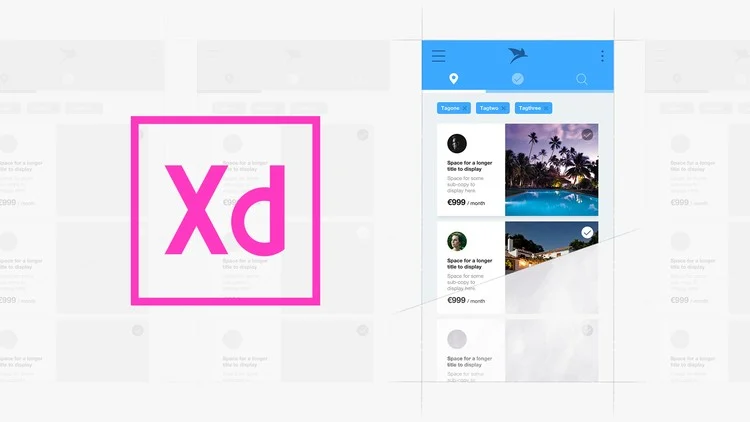
5. Use Repeat Grid
This feature is a beginner favorite. It lets you duplicate design elements like cards, buttons, or images easily saving hours of work.
6. Prototype Your Design
Switch to Prototype Mode to link artboards and add interactions. This helps you visualize how users will navigate your app or website.
7. Preview and Share
You can preview your design on a desktop or mobile device and share the prototype link for feedback from clients or teammates.
By following these steps, Adobe XD for Beginners users can create professional grade designs in no time.
Key Features That Make Adobe XD Stand Out
Adobe XD offers a wide range of tools and features, even for beginners. Some of the most useful ones include:
- Components & States : Create reusable elements like buttons and modify them easily.
- Auto-Animate : Add smooth transitions between artboards for realistic prototypes.
- Responsive Resize : Automatically adjust layouts for different screen sizes.
- Plugins : Extend XD’s functionality with third party tools like UI kits, icons, and animations.
- Integration with Adobe Creative Cloud : Sync assets directly from Photoshop, Illustrator, and Adobe Fonts.
You may quickly acquire professional design abilities and explore all these features at your own speed with Adobe XD for Beginners.
Tips for Learning Adobe XD Faster
If you’re serious about mastering Adobe XD for Beginners, here are a few tips to speed up your progress:
- Start with Templates : Use pre-built UI kits to learn design layout patterns.
- Watch Tutorials : Adobe and other creators offer free beginner tutorials on YouTube.
- Practice Daily : Create simple projects every day, like login screens or portfolio websites.
- Join Design Communities : Engage with designers on Behance, Dribbble, or Reddit for feedback.
- Experiment and Explore : Don’t be afraid to try new ideas and test features.
By avoiding these errors, you can make sure that your designs are both aesthetically pleasing and useful.
Career Opportunities After Learning Adobe XD
Learning Adobe XD for Beginners opens the door to many career opportunities. You can work as a:
- UI/UX Designer
- Product Designer
- Interaction Designer
- Web or App Prototype Specialist
- Freelance Visual Designer
Adobe XD experts are in great demand from IT businesses, agencies, and startups because to the growing demand for user centric digital experiences.
Conclusion
In summary, Adobe XD for Beginners is a full design environment rather than merely a tool. Adobe XD makes it simple to transform your imaginative concepts into workable, interactive prototypes, whether you’re creating your first mobile application or working on intricate online projects.
If you’re serious about becoming a UI/UX designer, now is the best time to start exploring Adobe XD for Beginners. It’s free, easy to learn, and incredibly powerful for bringing your imagination to life.
It’s free, simple to learn, and very effective in realising your dreams.
Now is the ideal moment to start learning about Adobe XD for Beginners if you’re serious about becoming a UI/UX designer. It’s tremendously effective for bringing your imagination to life, free, and simple to learn.
FAQs
Q1: Is Adobe XD free for beginners?
Yes, Adobe XD offers a free starter plan that’s perfect for beginners to explore essential features.
Q2: Do I need design experience to use Adobe XD?
Not at all! Adobe XD for Beginners is designed for newcomers and provides a very simple interface.
Q3: Can I create animations in Adobe XD?
Yes, using the Auto-Animate feature, you can create smooth transitions and animations between screens.
Q4: Is Adobe XD better than Figma?
Both are excellent tools. However, Adobe XD for Beginners is often easier to learn due to its clean UI and Adobe ecosystem integration.
Q5: How long does it take to learn Adobe XD?
With consistent practice, most beginners can become comfortable with Adobe XD in 2–3 weeks.